
What to do after OKX Registration
Set up 2FA (OTP) on your OKX Cashback account
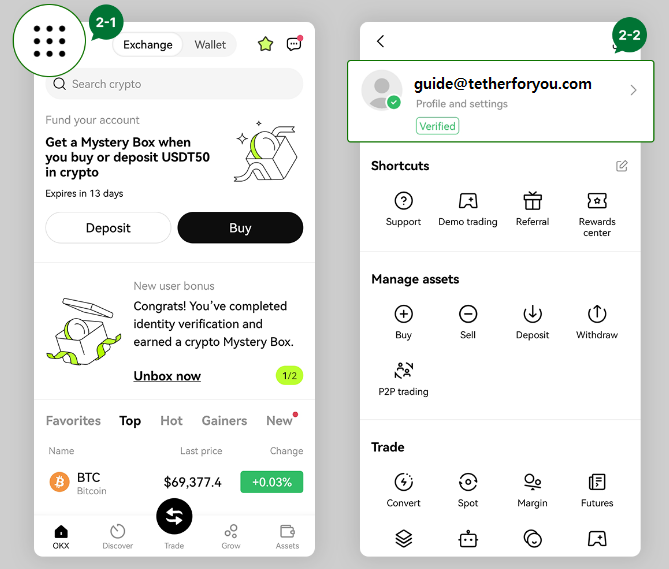
Log in to the OKX app with your new account and tap the square icon in the top-left corner. On the next page, tap the profile icon or your profile.
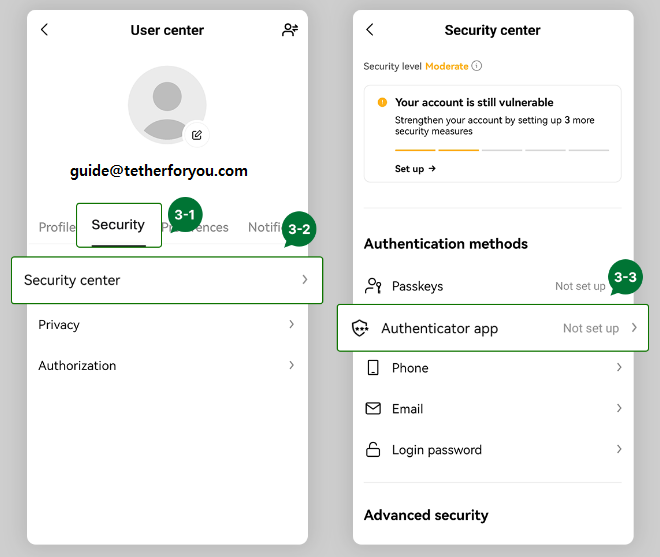
In the Security tab, tap Security Center, then tap Authentication app.
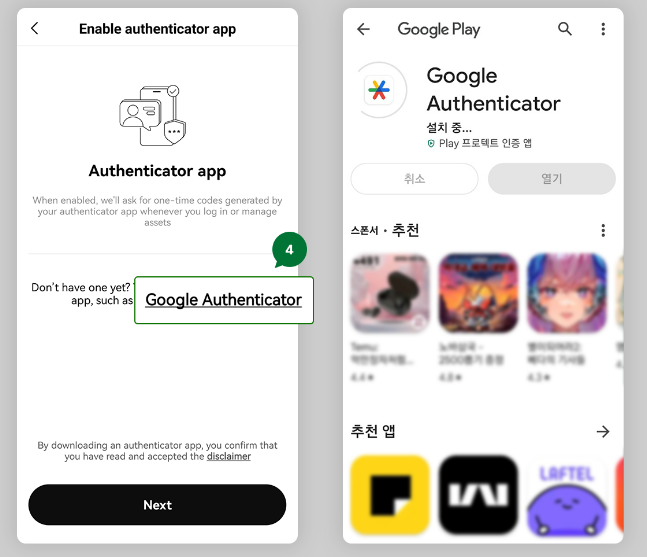
Tap Google Authenticator and install the Google Authenticator app.
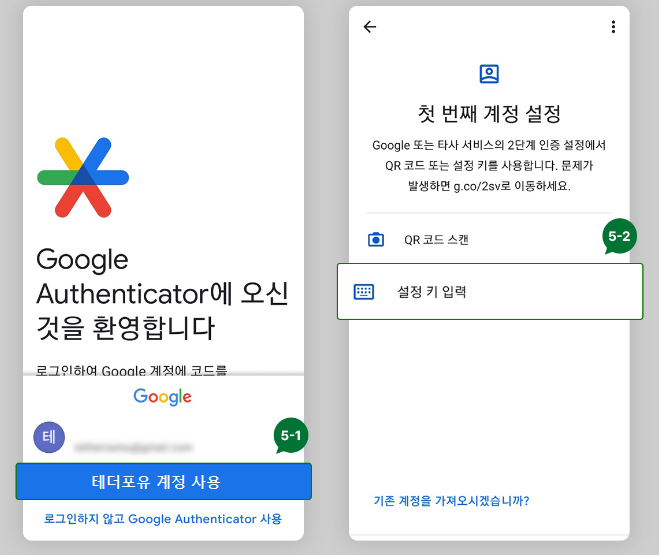
Open the authenticator app you just installed and sign in.
Tap the + in the bottom-right corner, then tap Enter a setup key.
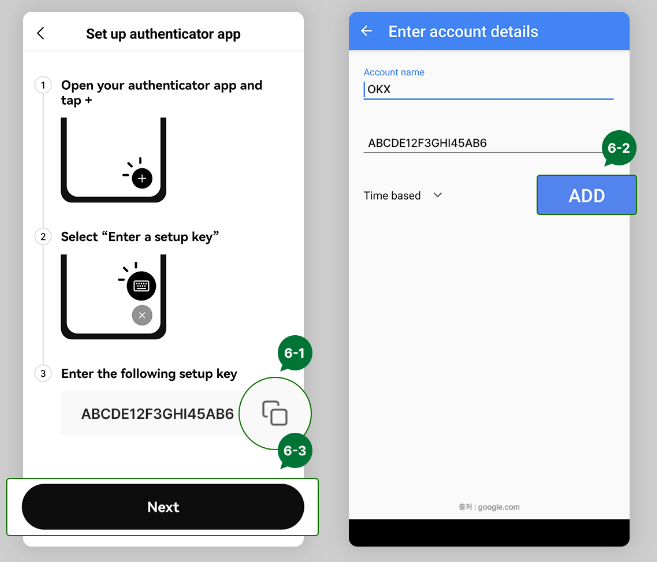
Go back to the OKX app and tap Copy next to the 16-digit key (ABCDE12...).
Then return to the authenticator app, enter "OKX" as the account name, paste the 16-digit key you just copied into "Your key," and tap Add.
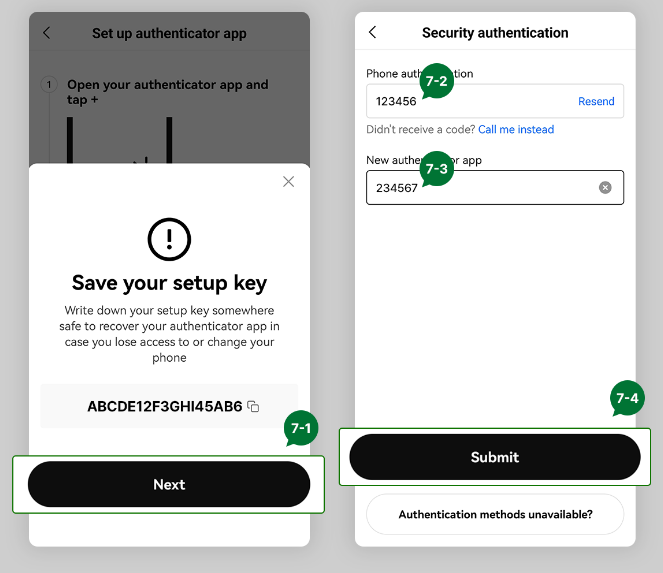
Go back to the OKX app and tap Next. On the next page, enter your phone verification code and the OTP generated by the authenticator app.
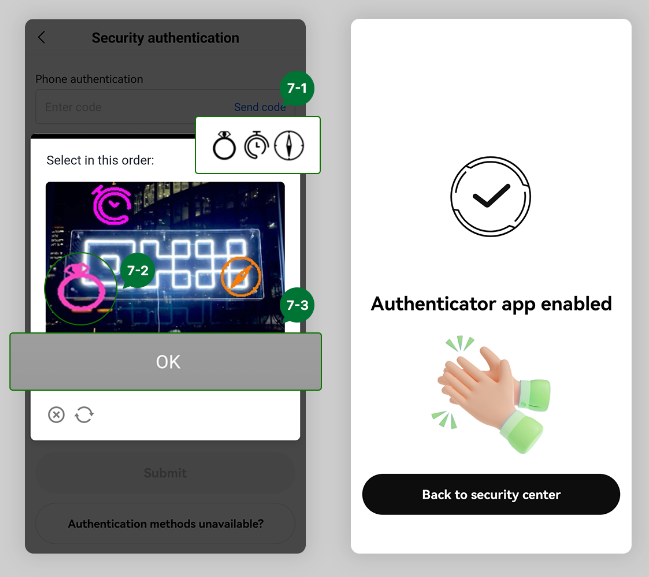
Tap the images in the order shown in the top-right corner. Once you see the page below, your 2FA (OTP) setup is complete!