
← Back to Guide List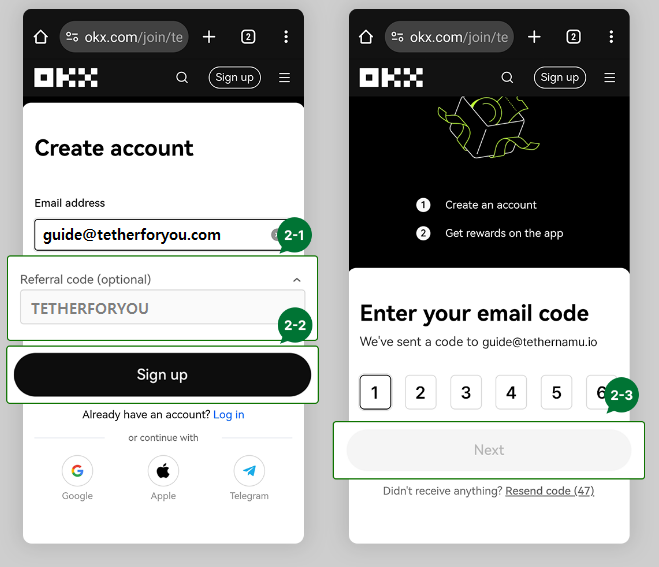
Enter the email you'll use, click
Select your country from the
OKX Registration Guide
① Click [Create OKX Cashback Account]
or open the OKX sign-up link from the TetherForYou website.
If you don't see TETHERFORYOU as the referral code,
go back to step 1 and sign up again.
If the referral code is different, you won't receive cashback!
In this guide, we'll sign up with an email address.
Enter the email you'll use, click Sign up, and complete email verification.
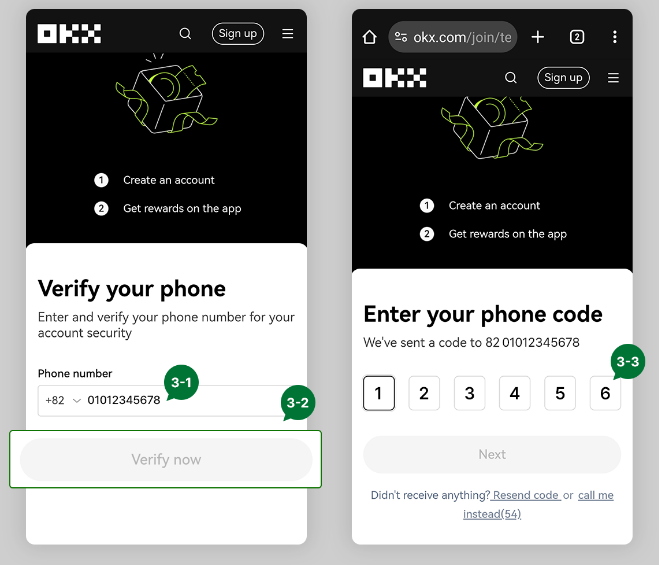
Enter your phone number, click Verify now, and enter the verification code.
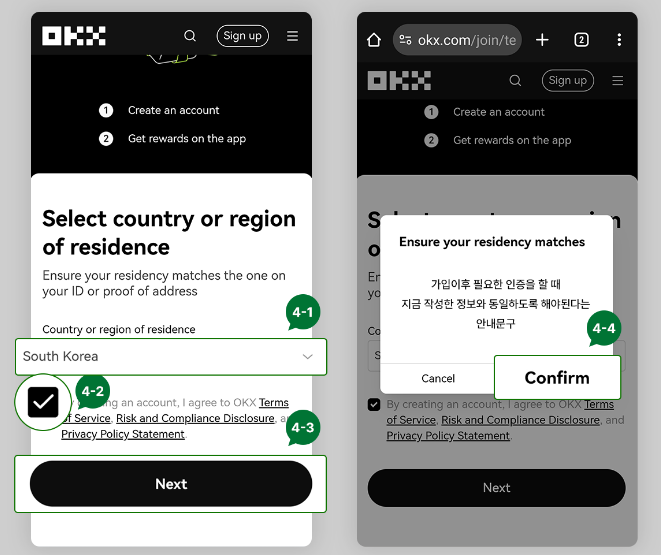
Select your country from the Country or region of residence list, check the box, then click Next and Confirm.
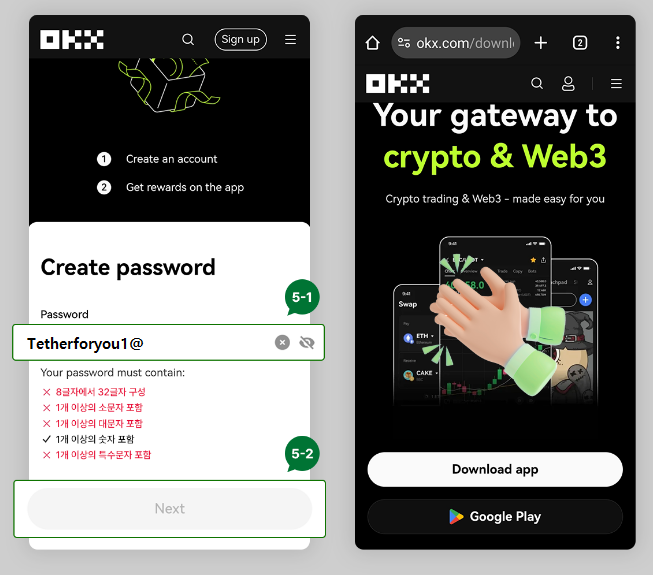
Enter the password you'll use. Once you see the page below, you're all signed up!