
← Back to Guide List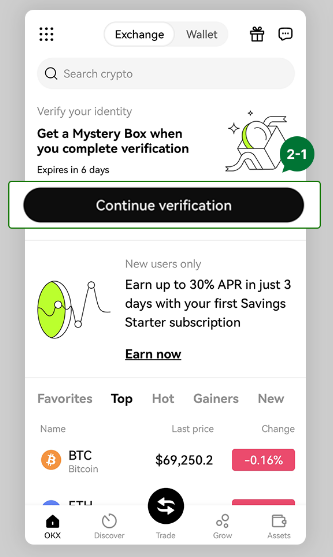
OKX KYC - ID Photo
KYC verification for your OKX Cashback account
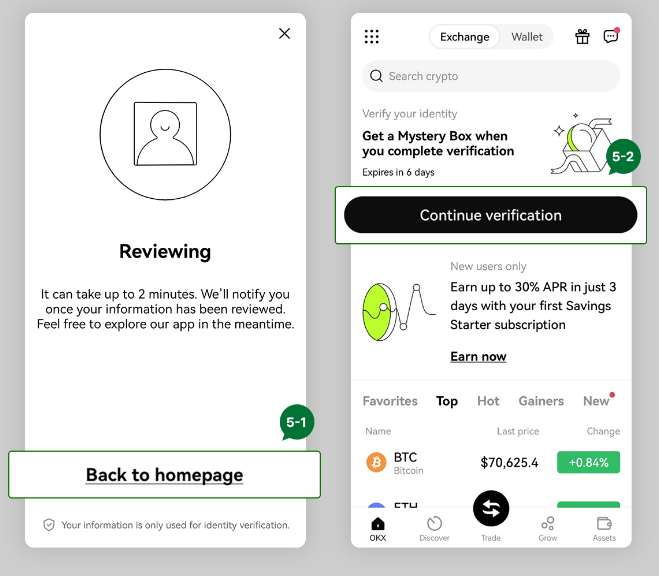
Log in to the OKX app with your new account and tap Continue verification.
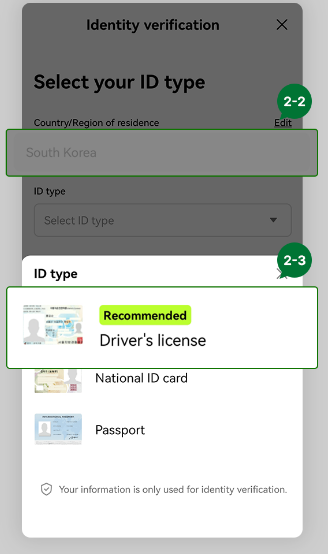
Under Country/Region, select your country, then choose the ID you'd like to use.
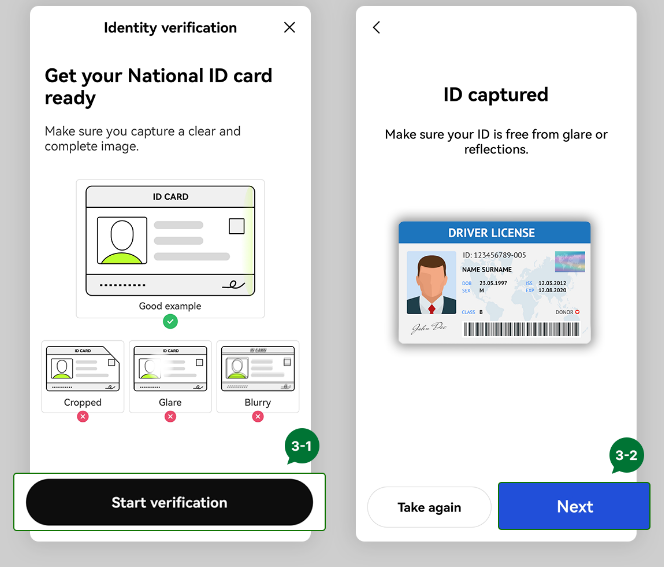
Now it's time to photograph your ID. When you're ready, tap Start verification and take photos of the front and back of your ID.
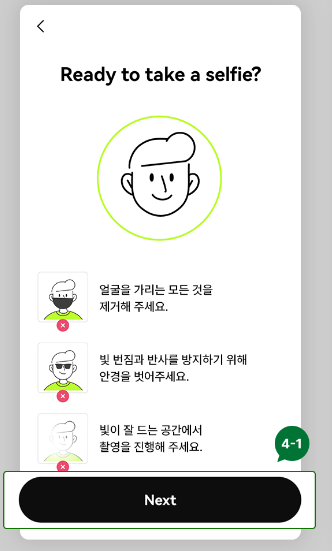
Now it's time for selfie verification! When you're ready, tap Next and complete the selfie check on the next page.
Once you've finished the selfie check, tap Back to homepage, then tap Continue verification.
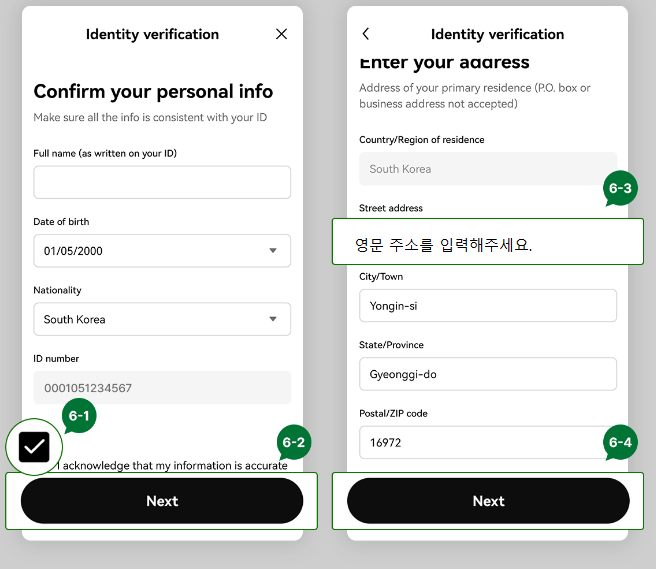
Check that the details match your ID, then enter your residential address.
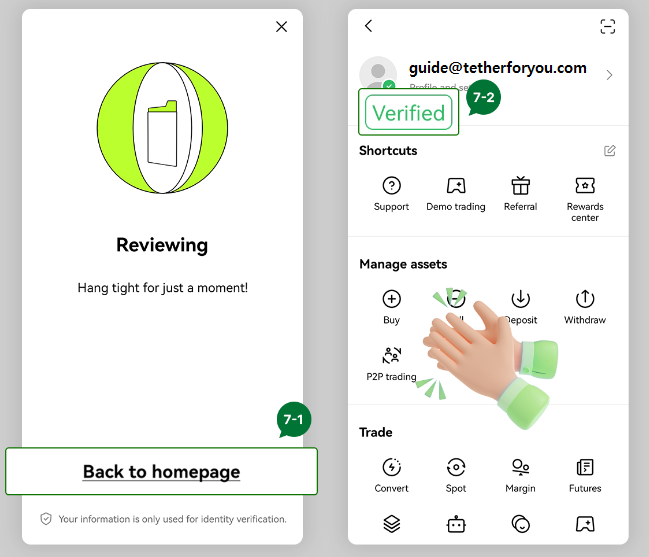
All done! You'll get the result in about 10 minutes. If you see Verified on your profile after 10 minutes, your KYC is complete!